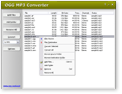
|
OGG to MP3 Converter
|
OGG to MP3 Converter converts OGG
to MP3 and MP3 to OGG Vorbis, joins
OGG, and resamples OGG files. It's an ALL-IN-ONE
audio converter that supports more than 90 audio and video files,
and keeps ID3 tag when converting. The software is full compatible
with Vista, Windows 7, and Windows 8.
OGG to MP3 Converter is also a professional
audio file format conversion software. You can easily change encoding parameters
such as codec, sample rate, bit rate, and channels, add ID3 tag
to output file, and increase or decrease volume of output file.
OGG to MP3 Converter supports batch
conversion. You can convert or resample bulk of files at a time.
OGG Vorbis is a new audio compression format.
It is roughly comparable to other formats used to store and play digital music,
such as MP3, VQF, AAC, and other digital audio formats. It is different from these
other formats because it is completely free, open, and unpatented. Ogg Vorbis
has been designed to completely replace all proprietary, patented audio formats.
Vorbis had been shown to perform significantly better than many other lossy audio
formats in the past in that it produced smaller files at equivalent or higher
quality while retaining computational complexity comparable to other MDCT formats
such as AAC or WMA (Windows Media Audio). That means that you can encode all your
music or audio content in Vorbis and never look back.
 Free Download OGG to MP3 Converter
OGG to MP3 Converter is 100% clean and safe to install.
It's certified by major download sites.

| Convert
OGG to MP3, MP3 to OGG Just in 2 Easy Steps |
|
Step #1: Choose MP3/OGG files
Click "Add Files" to choose MP3/OGG files.
Step #2: Convert to MP3/OGG
Choose "to MP3" and then click Convert to convert files to MP3
format.
Choose "to OGG" and then click Convert to convert files Files to OGG.
|
Top 10 Benefits of OGG to MP3 Converter:
- Convert OGG to MP3
The OGG converter converts your OGG files into
MP3 format, and play them in your MP3 or iPod player.
- Convert MP3 to OGG
OGG sounds better at the same bit rate as MP3. For instance, a OGG at 128kbps
sounds better than an MP3 at 128kbps. So, you can convert your files into OGG
and get higher audio quality.
- Resample OGG files
OGG to MP3 Converter can encode OGG with different parameters,
such as sample frequency, bit rate and channels. You can set a low sample frequency,
low bit rate or mono channel to reduce file size.
- CD Ripper
OGG to MP3 Converter is a great CD ripper that rips
audio CD to OGG, and other formats easily and quickly.
- ID3 tag
OGG to MP3 Converter can add ID3 tag (includes title,
artist, album, year, comment and genre) when converting files to MP3/OGG/MP4/M4A/M4B.
The software also supports to keep ID3 tag (includes ID3v1 and ID3v2) of
original files when converting.
- Change sound volume
If the sound of your OGG or MP3 files is so low or high, you can use the software
to amplify or reduce the sound.
- Split left and right channels into two files
Many karaoke songs got the music on one channel and music + voice on
the other channel, and this would be a way to create files with only music on
both channels and also to create files with music + voice on both channels. You
can get rid of a channel of a stereo file by the program.
- Batch conversion
OGG to MP3 Converter supports batch conversion.
You can add multiple MP3/OGG files or a folder, or drag and drop several MP3/OGG
files and folders onto main window of the software; the converter will search
all MP3 and OGG files and add them to list, and converts in batch.
- Output destination files to another folder or driver and keep path of original
files
If you have bulk of MP3 or OGG files within different folders, and you want
to convert them to another format or resample them and output to another folder
or driver and keep the original tree path, you can use the feature we designed
for you.
- No experience of OGG and MP3 necessary
OGG to MP3 Converter is very easy-to-use without
knowledge of OGG and MP3 formats.
File Formats OGG to MP3 Converter Supported:
| Input File
Formats |
3G2, 3GP, 3GP2, 3GPP, 4XM, AAC, AC3, ADTS, ADX, AFC, AIF, AIFC,
AIFF, ALAW, AMR, AMV, APE, ASF, AU, AVI, AWB, CAF, CDA, CDATA, CIF, DIF, DIVX,
DNXHD, DRC, DTS, DV, DVD, DVR-MS, DXA, EAC3, FLAC, FLC, FLI, FLIC, FLV, FLX, GSM,
GXF, H261, H263, H263+, H264, IT, KAR, M1A, M1V, M2A, M2T, M2TS, M2V, M4A, M4B,
M4R, M4V, MID, MIDI, MJ2, MJPEG, MJPG, MKA, MKV, MLP, MLV, MMF, MO3, MOD, MOV,
MP+, MP1, MP2, MP3, MP4, MPA, MPC, MPE, MPEG, MPG, MPGA, MPP, MPV, MTM, MTS, MTV,
MVI, MXF, NSA, NSV, NUT, NUV, OGA, OGG, OGM, OGV, OGX, OMA, PSP, PSX, PVA, QCIF,
QCP, QT, RA, RAM, RCV, RGB, RM, RMI, RMVB, ROQ, RPL, S3M, SDP, SHN, SMK, SND,
SOL, SOX, SPX, STR, SWF, THD, TS, TTA, UMX, VC1, VFW, VID, VMD, VOB, VOC, VQF,
W64, WAV, WAVE64, WM, WMA, WMD, WMV, WV, XA, XM, XVID, XWMV, Y4M, YUV |
| Output File Formats |
3G2 (audio track), 3GP (audio track), AAC, AAC for iPod/iPhone/iPad/iTunes/DSi,
AC3, AIFF, AMR, ASF (audio track), AU, AVI (audio track), CAF, DTS, FLAC, FLV
(audio track), M4A (MPEG-4 audio), M4B (MPEG-4 audiobook), M4R (iPhone ringtone),
MKA, MMF, MOV (audio track), MP2, MP3, MP4 (audio track), MPA, OGG,
SWF (audio track), VOC, WAV, WMA, WMV (audio track) |
OGG to MP3 Converter Key Features:
OGG to MP3 Converter Quick Info:
- Version: 4.3 build 1057
- Size: 3.70 MB
- License: Free to try
- Platforms: Windows 8 / 7 / Vista / 2008 / XP / 2003 / 2000 (both 32-bit
and 64-bit editions compatible)
Free Download OGG to MP3 Converter
OGG to MP3 Converter Version History:
- OGG to MP3 Converter
has been replaced by Total Audio MP3 Converter
- OGG to MP3 Converter v4.3 build 1057
- Encodes Vorbis OGG with both ABR (Average Bit Rate) and VBR (Variable Bit
Rate)
- Converts OGG to CAF
- Converts OGG to DTS
- Fixes ID3 and file name bugs
- OGG to MP3 Converter v4.2 build 946
- Normalizes and adjusts volume of OGG and MP3 files automatically so that all
output files have the same volume just like OGGGain
- Trims OGG files (skips the first a couple of seconds and only convert the
next customized length)
- Fixes bugs
- OGG to MP3 Converter v4.1 build 929
- Converts multiple OGG files to one OGG
- Fixes bugs
- OGG to MP3 Converter v4.0 build 892
- Converts file to AC3/AIFF/MKA/MMF/MP2/MPA/M4R
- Adds more codecs
- Fixes bugs
- OGG to MP3 Converter v3.4 build 839
- Improves conversion kernel
- Improves sound quality of MP3, WMA, OGG files
- Supports more input file formats
- Fixes bugs
- OGG to MP3 Converter v3.2 build 827
- Improves ID3 tag
- Supports both MP3 ID3v1 and MP3 ID3v2 tags
- Fixes bugs
- OGG to MP3 Converter v3.0 build 816
- Supports more than 60 files as input
- Fixes bugs
- OGG to MP3 Converter v2.7 build 789
- Supports AMR, AWB
- Supports ID3 tag for MP4, M4A, M4B, FLAC, APE, WMA, WMV, and ASF files
- Fixes bugs
- OGG to MP3 Converter v2.6 build 768
- Supports Windows Media Audio (WMA)
- Supports CD Audio (CDA)
- Supports AIFF Files (AIFF/AIF/AIFC/AFC)
- Supports Free Lossless Audio Codec (FLAC)
- Supports WavPack (WV)
- Supports Advanced Audio Coding (AAC)
- Supports Advanced Audio Coding MPEG-4 (M4A/MP4)
- Supports Dolby Digital AC-3 (AC3)
- Supports Apple Lossless Audio Codec (M4A)
- Supports CRI ADX (ADX)
- Supports Monkey's Audio (APE/MAC)
- Supports Musepack (MPC/MP+/MPP)
- Supports Speex (SPX)
- Supports The True Audio (TTA)
- OGG to MP3 Converter v2.2 build 673
- Adds option "Output files to My Documents if creating file failure"
- Supports AU format
- Supports NeXT/Sun SND format
- Supports MOD music (XM, IT, S3M, MOD, MTM, and UMX files)
- Supports MO3 music (MP3/OGG compressed MODs)
- Adds option "If output channel is set to mono and the original file is stereo,
output sound equals to: (L+R)/2, L channel, or R channel"
- Adds option file extension name filter for 'Add Folder' and drag/drop
- Adds option "Same as original file" for sample frequency, bit rate, channels
for MP3 file
- Adds option "Same as original file" for sample frequency, bit rate, channels
for OGG file
- Adds option "Same as original file" for sample frequency, bits, channels for
WAV file
- Fixes bugs
|